F O O D
How to Use a Ticket Machine at a Ramen Shop
Step-by-step guide to ordering ramen from a ticket vending machine, even when everything is in Japanese.
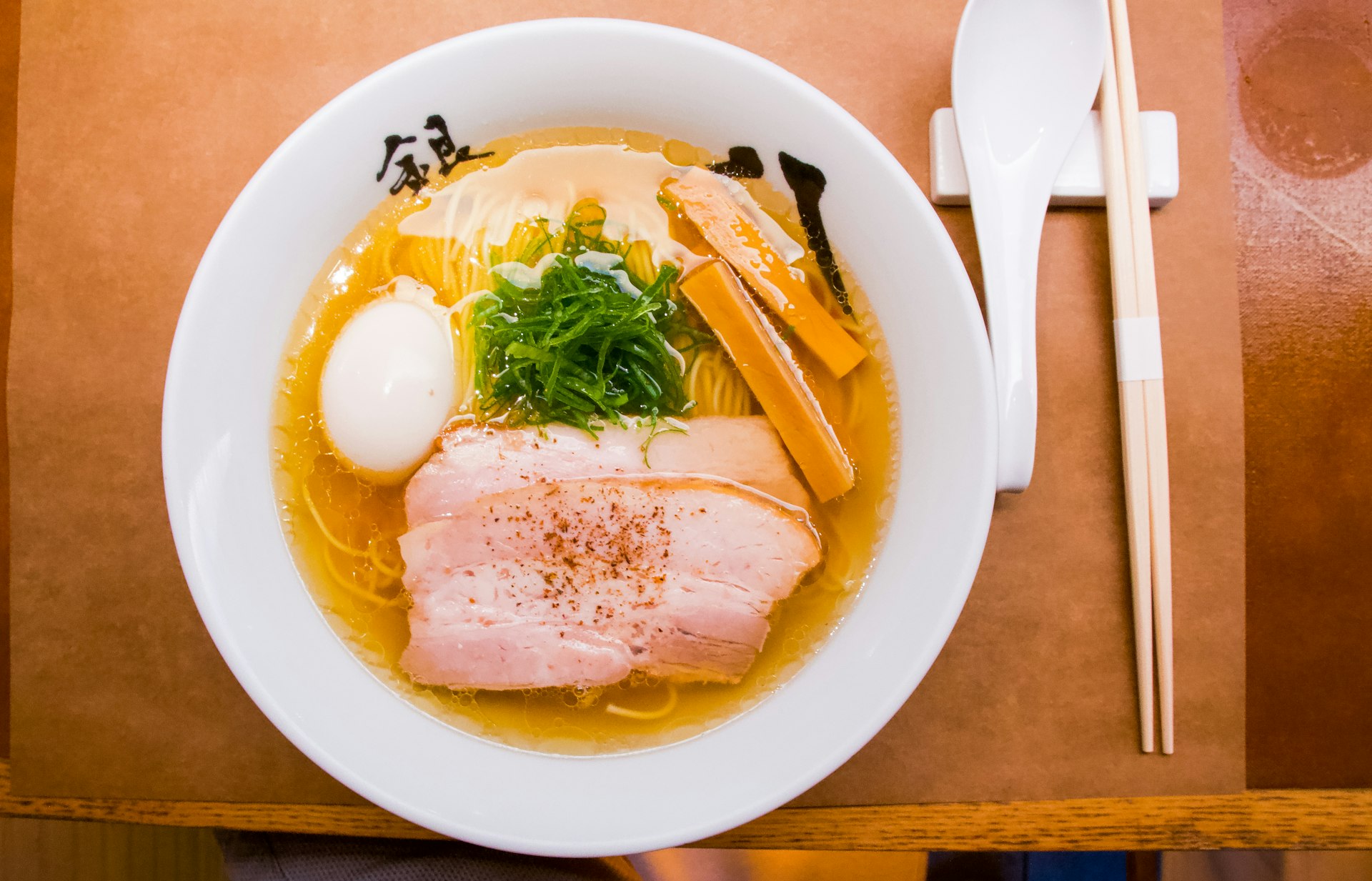
Quick Answer
- Insert cash first (typically ¥1,000 bill or coins), then press the button for your ramen. Most machines are cash only and do not give change for ¥10,000 bills.
- Top-left button is almost always the house specialty (看板メニュー). When in doubt, press that one.
- Typical prices in 2025-2026: ¥850-¥1,200 for a standard bowl, ¥150-¥300 for toppings like seasoned egg (味玉) or extra pork (チャーシュー増し).
- Hand your ticket to the staff when seated. They may ask about noodle firmness and broth richness — say “futsu de” (普通で) if unsure.
- Some newer machines have an English button in the corner. Look for 「English」 or a flag icon before inserting money.
What Is a Ticket Machine?
Most ramen shops in Japan use a ticket vending machine (食券機, shokkenki) placed just inside the entrance. You buy a meal ticket before sitting down, then hand it to the kitchen staff. No verbal ordering required — which is why this system works well even if you speak zero Japanese.
The machine looks like a tall, upright vending machine with rows of buttons, each representing a menu item. Some machines have photos on the buttons; others have only Japanese text. Newer touchscreen models are appearing at chain restaurants, but the classic button-style machine is still dominant at independent ramen shops.
[Photo angle: front view of a ticket machine with rows of illuminated buttons, typically found just inside the entrance of a small ramen shop]
Step-by-Step: How to Use the Machine
Step 1: Check the Display or Wall Menu
Before inserting money, look around. Many shops post a large menu with photos on the wall near the machine, or above it. This helps you identify what each button corresponds to. Some shops also have a laminated English menu taped to the side of the machine.
Step 2: Insert Cash
Feed bills or coins into the slot. Most machines accept ¥1,000 bills and all coin denominations (¥10, ¥50, ¥100, ¥500). Very few accept ¥5,000 or ¥10,000 bills. If the machine rejects your bill, try flattening it or flipping it around.
How much to insert: A typical ramen order runs ¥850-¥1,200 for the base bowl. Add ¥150-¥300 per topping. Inserting ¥1,500 in advance covers most combinations comfortably.
Step 3: Press the Button for Your Ramen
Once money is inserted, the available buttons light up. Press the button for the ramen you want. The top-left button is almost always the shop’s signature dish — a safe default choice.
Common button labels you’ll see:
| Japanese | Reading | Meaning |
|---|---|---|
| 醤油ラーメン | shoyu ramen | Soy sauce ramen |
| 味噌ラーメン | miso ramen | Miso ramen |
| 塩ラーメン | shio ramen | Salt ramen |
| 豚骨ラーメン | tonkotsu ramen | Pork bone ramen |
| つけ麺 | tsukemen | Dipping noodles |
| 特製 | tokusei | Special/deluxe version |
| 大盛 | oomori | Large serving |
| ライス | raisu | Rice |
Step 4: Add Toppings (Optional)
After selecting your ramen, press additional buttons for toppings if you want them:
- 味玉 (ajitama) — seasoned soft-boiled egg, ¥100-¥150
- チャーシュー増し (chashu-mashi) — extra pork slices, ¥200-¥300
- のり (nori) — seaweed, ¥50-¥100
- 替え玉 (kaedama) — extra noodles, ¥100-¥200 (served separately after you finish the first round)
- ライス (raisu) — rice, often ¥0-¥150
Step 5: Collect Your Tickets and Change
The machine dispenses one ticket per item and returns your change in the tray below. Grab everything — don’t leave tickets behind.
Step 6: Hand Tickets to Staff
Take a seat (or wait to be seated). Place your tickets on the counter in front of you, or hand them directly to staff. They’ll start preparing your order immediately.
When Everything Is in Japanese
This is the most common concern. Here’s how to handle it:
- Look for the top-left button. It’s the signature dish in nearly every ramen shop in Japan.
- Look at prices. The most expensive button in the ¥1,000-¥1,200 range is usually the “special” (特製) version with extra toppings. The ¥850-¥950 range is the standard bowl.
- Use Google Translate camera mode. Open the app, point your phone camera at the buttons, and the translation appears in real-time.
- Check for photos. Many machines have small photos embedded in or above the buttons.
- Ask for help. Point at the machine and say “osusume wa?” (おすすめは?) — “What do you recommend?” Staff will point to a button.
Common Machine Types
Classic Button Machine
The most common type. A metal box with 20-40 plastic buttons arranged in rows. Each button has a label and price. Illuminated buttons mean that item is available. Insert money first, then press.
[Photo angle: close-up of illuminated buttons on a classic ticket machine, with Japanese text and prices visible on each]
Touchscreen Machine
Found at chains like Ichiran, Ippudo, and some newer shops. These often have language options — look for an English/中文/한국어 button at the top of the screen. Navigation is similar to a tablet: tap your item, confirm, pay.
Dual-Slot Machine (Cash + IC Card)
A growing number of machines accept IC cards (Suica, Pasmo) in addition to cash. Look for the IC card reader symbol near the bottom of the machine. Tap your card after selecting items. See our Suica guide for details on IC cards.
Customizing Your Order
After you sit down and hand over your ticket, staff at many shops will ask about preferences. At Hakata-style tonkotsu shops, this is especially common:
| Preference | Options |
|---|---|
| Noodle firmness (麺の硬さ) | 硬め (katame, firm) / 普通 (futsu, normal) / 柔らかめ (yawarakame, soft) |
| Broth richness (味の濃さ) | こってり (kotteri, rich) / 普通 (futsu, normal) / あっさり (assari, light) |
| Oil amount (油の量) | 多め (oome, more) / 普通 (futsu, normal) / 少なめ (sukuname, less) |
| Garlic (にんにく) | あり (ari, yes) / なし (nashi, none) |
If you don’t understand the question, “futsu de” (普通で) — “normal for everything” — is always a safe answer.
At Ichiran, you fill out a paper form instead of speaking to staff. The form has checkboxes for each preference and is available in English.
Troubleshooting
The machine won’t accept my bill
Smooth out wrinkles and try inserting the bill in a different orientation. Old, crumpled bills are often rejected. If it still won’t work, try breaking the bill at a nearby convenience store or use coins.
I pressed the wrong button
Most machines do not have an undo function. You’ll receive a ticket for whatever you pressed. Politely hand it to staff and explain — they can sometimes exchange it or offer a refund, but this isn’t guaranteed.
The machine is out of an item
If a button is dark (not illuminated), that item is sold out. Choose a lit button instead.
I don’t have cash
Many ramen shops are still cash-only. The nearest convenience store ATM (7-Eleven, Lawson, FamilyMart) is usually within a 2-minute walk. See our convenience store ATM guide for help withdrawing cash.
There’s a line at the machine
Wait behind the line. Don’t try to study the menu while standing at the machine during busy periods — check the wall menu or a photo menu posted nearby while waiting, so you can press quickly when it’s your turn.
Price Guide (2025-2026 Tokyo)
| Item | Typical Price Range |
|---|---|
| Standard ramen | ¥850-¥1,100 |
| Special/deluxe ramen (特製) | ¥1,100-¥1,400 |
| Tsukemen (dipping noodles) | ¥950-¥1,200 |
| Extra noodles (替え玉) | ¥100-¥200 |
| Seasoned egg (味玉) | ¥100-¥150 |
| Extra pork (チャーシュー増し) | ¥200-¥350 |
| Rice (ライス) | ¥0-¥150 (free at some shops) |
| Gyoza set | ¥300-¥500 |
Budget chains like Hidakaya offer basic bowls from ¥490. Specialty and trendy shops in areas like Shinjuku or Shibuya can reach ¥1,500+ for premium bowls.
Tips for a Smooth Experience
- Carry coins. ¥100 and ¥500 coins are universally accepted and avoid bill-rejection issues.
- Peak hours are 12:00-13:00 and 18:00-20:00. Lines can be long at popular shops. Going at 11:00 or 14:00 saves significant wait time.
- Check the shop’s system before entering. Some shops have a different flow — a few expect you to order at the counter verbally. If there’s no machine inside the entrance, look for a counter ordering system instead.
- Water is self-serve at most ramen shops. Look for a pitcher on the counter or a water dispenser near the entrance.
- For more on ramen styles and eating etiquette, see our ramen shop guide.